A Canonical Name Record or CNAME-record is a type of DNS-record that links an alias name to a real, or canonical, domain name.
CNAME-records are used to link a subdomain, such as “www” or “mail”, to the domain in which the content of that subdomain is hosted.
The most famous example of a CNAME-record is the redirect from www.mydomain.com to mydomain.com. This way the website can be called up in two ways, with and without www. before.
Set up a CNAME record
Follow these steps in the control panel to set a CNAME-record:
- Go to “My products”> “DNS & forwarding management”> Click on the “Manage DNS” button to the right of your domain name.
- Select “CNAME-records” in the menu on the left.
- Click “Add” to add a new CNAME record.
To modify an existing CNAME record, click the three dots on the right and then click “Edit record”.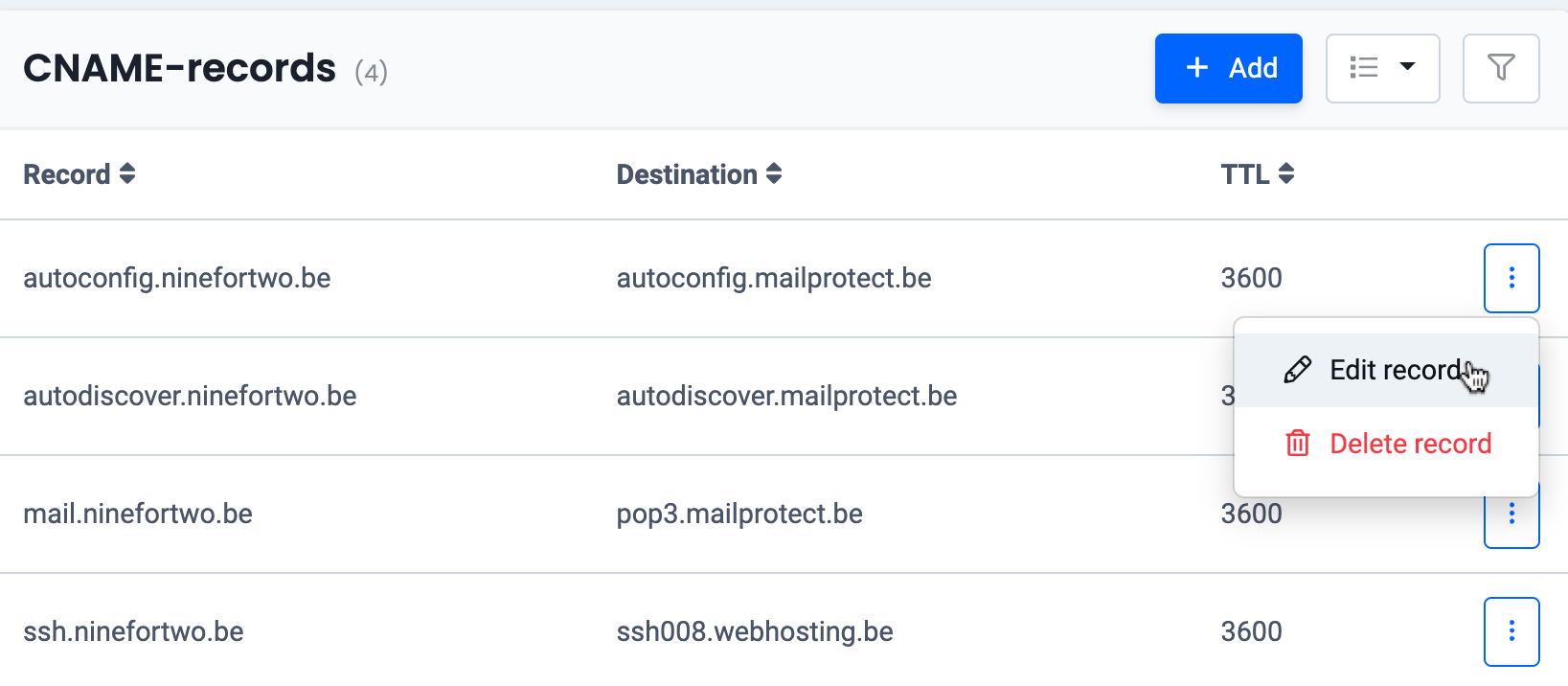
- Enter a subdomain for the record, for example: www.
Please note: a CNAME record cannot be set for the root domain name (without a subdomain). - Enter the destination and click the button to confirm.
Tip: you can leave the TTL at the default value of 3600. - The changes are being activated. You can check the active records via: http://whois.net
Why can’t a CNAME record be used on my root domain?
A CNAME record cannot be used for a root domain or apex domain, such as yourdomain.com without a subdomain.
This is a limitation defined by the DNS standard. A CNAME record replaces all other DNS records for the same hostname. Because of this, a CNAME record is not allowed on the root domain.
A CNAME record can however be used for subdomains, such as:
- www.yourdomain.com
- shop.yourdomain.com
- mail.yourdomain.com
Alternatives to a CNAME record on my root domain
If you want to connect your root domain to an external service or server, you can use an alternative to a CNAME record, such as:
- an A record to point to a (traditional) IPv4 address
- an AAAA record to point to an IPv6 address
- an ALIAS record
Some external services mention a CNAME record by default in their documentation. These instructions are often intended for a subdomain such as www. Always check whether the settings are meant for a subdomain or for the root domain.