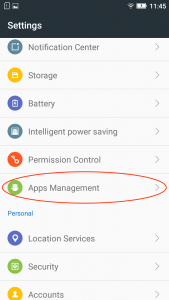
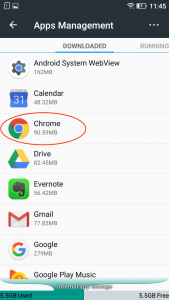
How to clear browser cache on Android (Chrome)? Open ‘Settings’. From the Settings menu, choose ‘Apps Management’. Click on ‘Chrome’. Click on ‘Clear cache’. Updated on 8 June 2021 Was this article helpful? Yes No Need Support?Can't find the answer you're looking for?Contact Support